Move to Heal

Youth Team Winner · Global AI Hackathon 2025

Move to Heal

An AI-powered home rehabilitation app that checks your exercise form, so you can see how each repetition looks.

Watch our video Our story

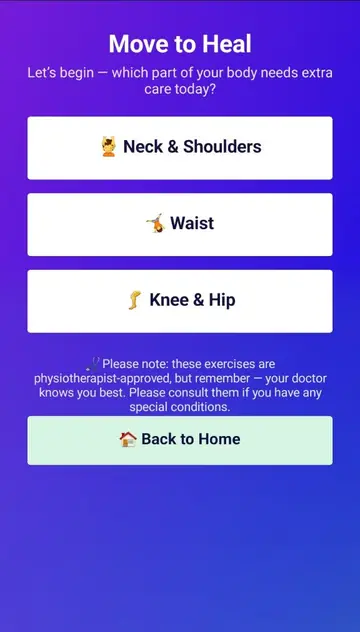
Move to Heal app screen asking which part of your body needs extra care today, with Neck and Shoulders, Waist, and Knee and Hip choices
The Move to Heal app

Exercises done wrong at home go unnoticed

Physical therapy only works when the movement is right. At home, nobody is there to say that a shoulder is too high or a knee is out of line.

The idea for Move to Heal came from a team member’s grandmother. Her condition got worse when she did her exercises the wrong way at home. The team built the app so that no one has to guess.

“Doing physical therapy incorrectly at home is a serious issue that often goes unnoticed.”

“We wanted to create something that supports people on their healing journey.”

The Move to Heal team, in the MIT App Inventor Winners Spotlight

Three steps from watching to knowing

  1. Watch the 3D demo

    A 3D figure shows the exercise, one slow repetition at a time, with the hold times on screen.

  2. Do it in front of your phone

    The camera follows your body and draws a pose skeleton over you as you move.

  3. Get instant AI feedback

    Correct and wrong bars show how your form compares, while you are still in the movement.

Under the hood

  • Trained on 3,000+ skeleton images
  • Pose detection with PoseNet (17 body keypoints)
  • One custom image-classifier model per exercise (9 models), trained on synthetic 3D-mannequin poses showing correct form and common mistakes
  • 3D-animated demo videos for every exercise
  • “Can’t see you” guidance when your body is not fully in view
  • Built with MIT App Inventor

High accuracy across all 9 exercises in our tests.

Inside the app

  • The Move to Heal log in screen with the app logo, two fields and a Log in / Sign up button
    Log in / sign up
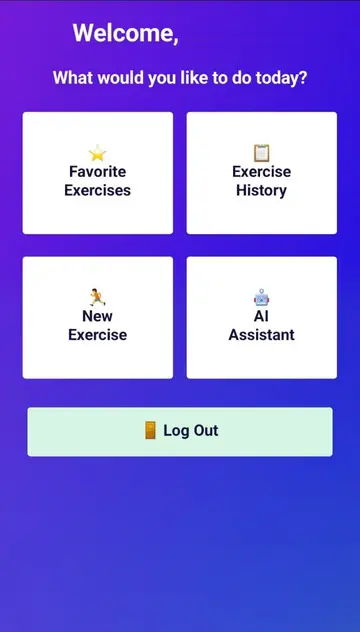
  • The home screen with four choices: Favorite Exercises, Exercise History, New Exercise and AI Assistant
    Home
  • Screen asking which part of your body needs extra care: Neck and Shoulders, Waist, or Knee and Hip
    Pick a body area
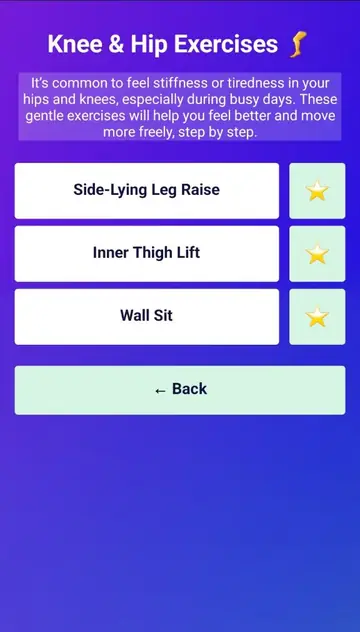
  • List of knee and hip exercises: Side-Lying Leg Raise, Inner Thigh Lift and Wall Sit, each with a favorite star
    Knee & hip exercises
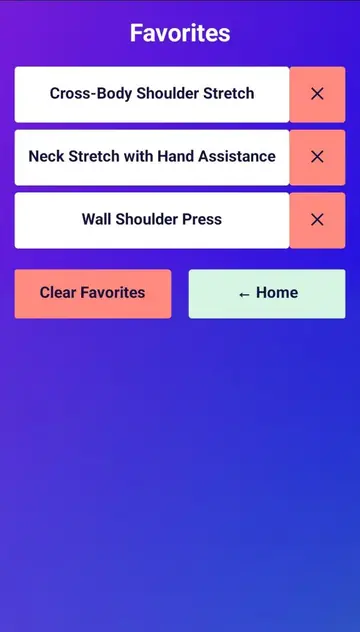
  • Favorites list showing Cross-Body Shoulder Stretch, Neck Stretch with Hand Assistance and Wall Shoulder Press
    Favorites
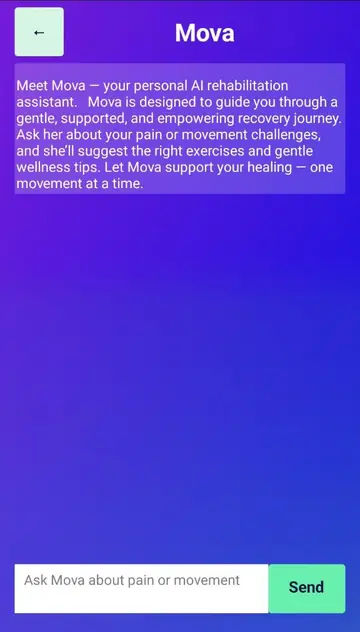
  • The Mova chat screen with an introduction and a box to ask about pain or movement
    Mova AI assistant

Meet Mova, your AI rehab assistant

Ask Mova about your pain or movement challenges. Mova suggests exercises and gentle wellness tips, to support your recovery one movement at a time.

Mova does not replace a doctor or physiotherapist. If you have a special condition, talk to a professional first.

Nine exercises, each with a 3D demo

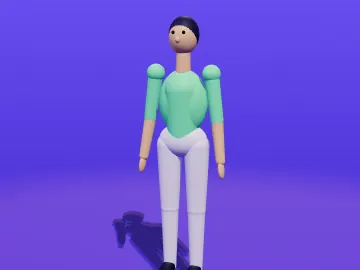
  • 3D figure standing for the Cross-Body Shoulder Stretch

    Cross-Body Shoulder Stretch

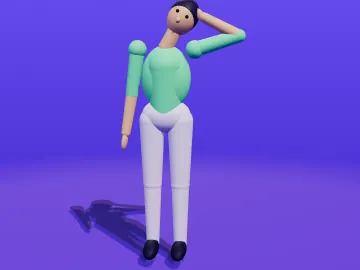
  • 3D figure tilting the head with a hand on top for the Neck Stretch

    Neck Stretch with Hand Assistance

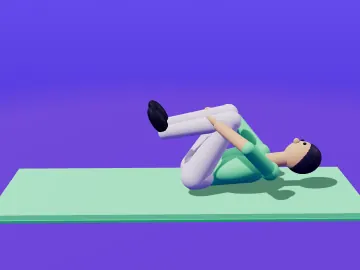
  • 3D figure lying down with both knees pulled to the chest

    Double Knee to Chest

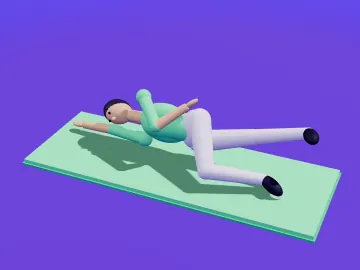
  • 3D figure lying on one side lifting the inner leg

    Inner Thigh Lift

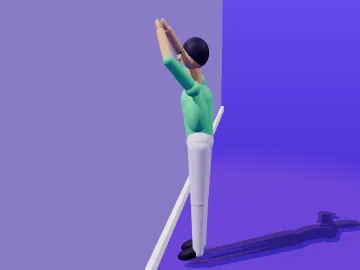
  • 3D figure pressing both arms up a wall

    Wall Shoulder Press

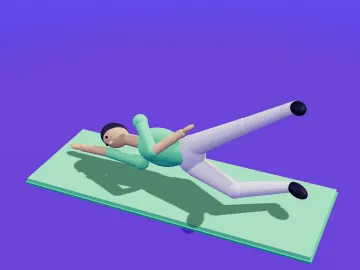
  • 3D figure lying on one side raising the top leg

    Side-Lying Leg Raise

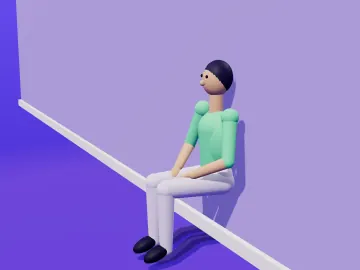
  • 3D figure sitting against a wall with knees bent

    Wall Sit

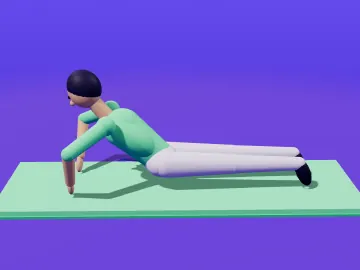
  • 3D figure lying face down pushing the chest up

    Cobra Stretch

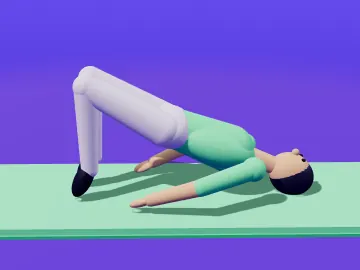
  • 3D figure lying on the back with the hips lifted

    Glute Bridge

Recognition

2025

Youth Team Winner, Global AI Hackathon 2025

Run by MIT RAISE and the App Inventor Foundation. Read the winners spotlight.

2025

Creative Innovation Award, MIT AI & Education Summit 2025

Awarded to the Move to Heal team.

The five members of the Move to Heal team standing together, each holding a microphone
Photo and quote: MIT App Inventor Winners Spotlight
The team

“Don’t wait for everything to be perfect; once you take the first step and set up the overall flow of your app, you can improve everything gradually, step by step.”

  • Ada Kilinc
  • Batuhan Pekcan
  • Defne Nil Pekdemir
  • Deniz Derya Gokcek
  • Eylul Karabulak

A team from Türkiye

See it in action

Open the video on YouTube